In October 2022, I wrote a blog about upgrading my vintage MacBook Pro (mid-2010) or buying a new machine from the Apple store. I finished the article with a suggestion that upgrading this old machine would make a good blog post. Now, dear reader, you can be the judge. I bought 8 GB of RAM, a new battery, and a new trackpad. I did the upgrade. These lines are written on a vintage MacBook Pro that has been given a new life.
Why did I hesitate to do this upgrade? Probably I was waiting for my wife’s PC to ask for a RAM upgrade. That way I would practice on that precious device, and see whether I want to do a bigger upgrade on my own Mac. Also, I found all the parts on Amazon which made this project a lot cheaper. iFixit is expensive if you compare prices. Therefore, without further introductions, please see below a photo report of me giving an old machine a new set of wheels.

My wonderful wife is my photographer. She knows I like my Tudor watch photographed in action. My steel Tudor next to the aluminum unibody of the MacBook Pro looks perfect. I would also like to mention that this upgrade was made possible with the iFixit Pro toolkit. My most undervalued purchase since moving to Brussels (remember the disassembly of my wife’s flat iron?). Imagine what I will do once I buy a watch repair toolkit.

Turns out the back cover is missing two screws. I knew that one screw was missing. It came as a slight surprise when I noticed the other empty screw hole. No big issue, let’s move on.

The second surprise. After I removed two large screws holding the cover in place close to the hinge, the cover popped up. It is not supposed to happen. I wonder why is that?

The back cover of this MacBook Pro is off, revealing a lot of dust underneath.

A dusty back cover. It has not been cleaned for a long, long time.

Yes, a Samsung part in an Apple machine. More or less a decade ago, I swapped the original HDD drive for a faster SSD. Sadly, I was not doing the swapping. I asked a local IT company. Had I known it was easy, I would have done it myself. However, back then I did not have my iFixit tools. Maybe if I did the swap these words would have been written on a newer machine.

The logic board of a 14-year-old MacBook Pro. Dusty but extremely reliable.

The third surprise of this upgrade. The state of the battery. As you might understand, a battery shouldn’t look like this. This battery was swollen beyond imagination.
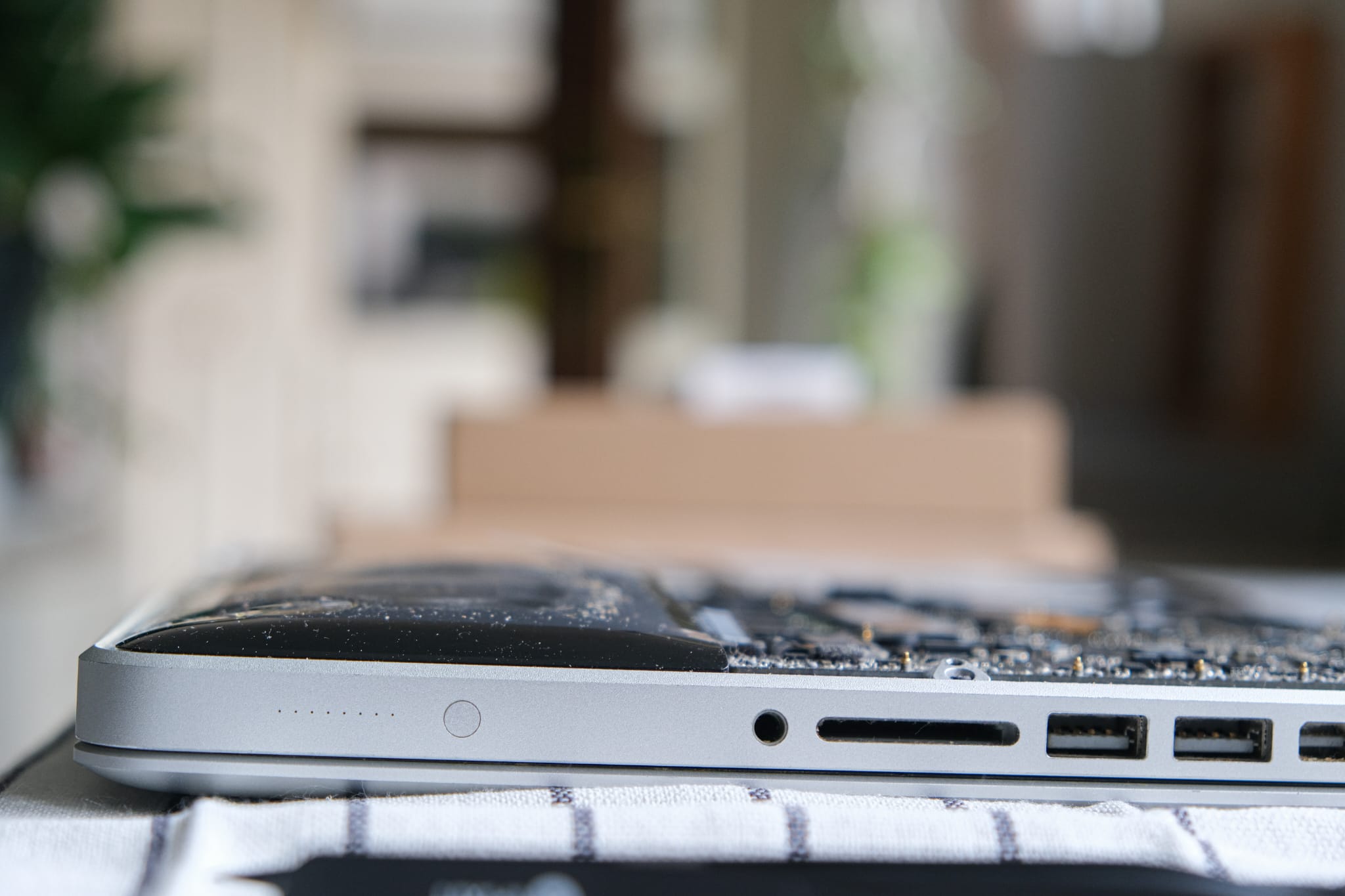

Now I understand why the back cover is scratched. Now I see, why the back cover popped up when I removed those two large screws. Now it makes sense why you should change a computer’s battery after a certain time. The dirt on the battery is also troubling.

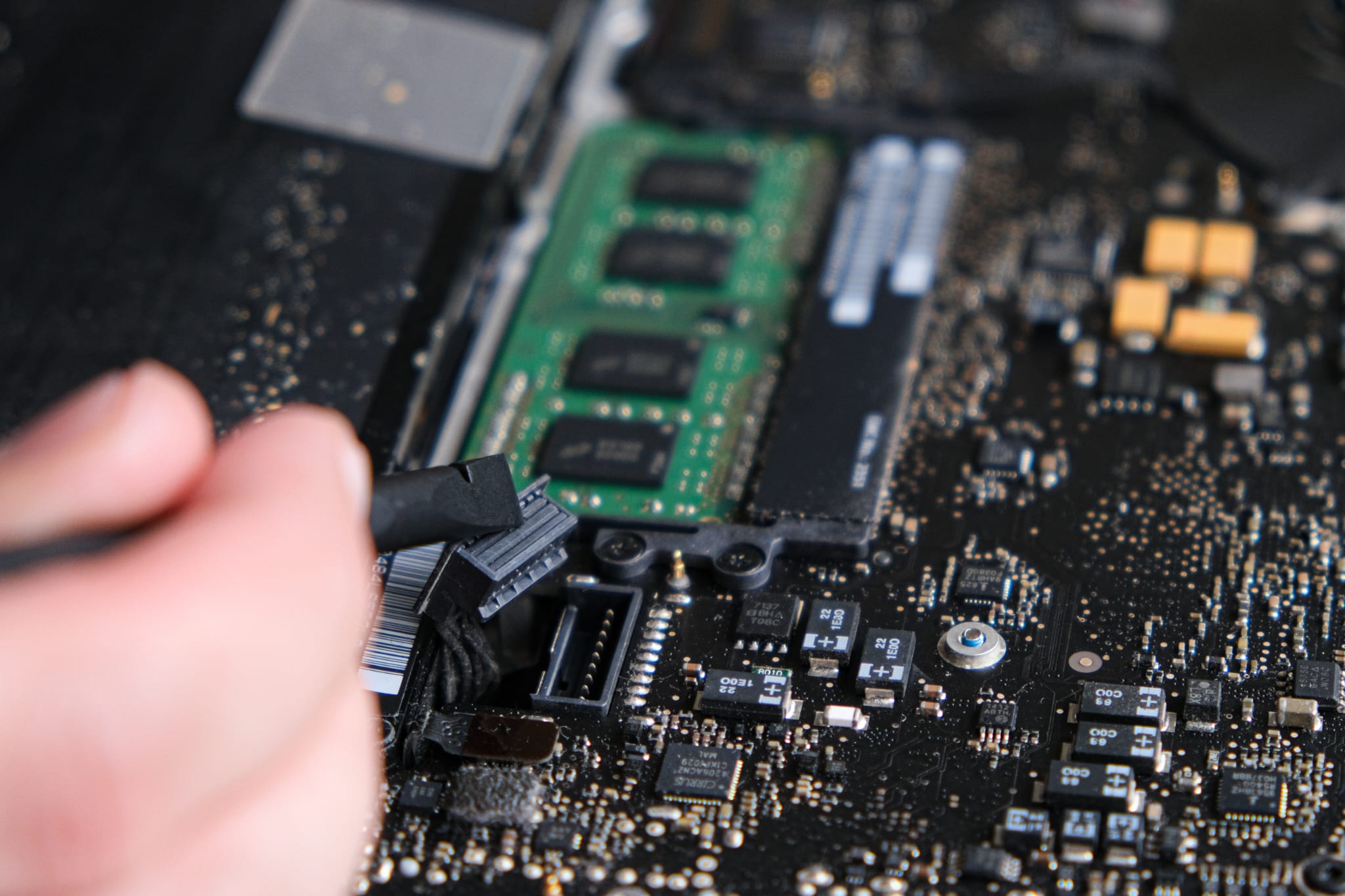
Let’s remove the thing. Unplug the battery from the logic board. Remove two screws holding it in place. Now the fourth surprise. After I slightly loosened one of the screws the plastic screw hole of the battery broke. It was barely holding in place. My wife said she was surprised that the MAC was still working. She is not the only one.


Just look at this battery. I was not expecting to see the insights of it.

Above is the old battery, and below is the new one. Can you spot the difference?

The cancer is removed. This MacBook Pro will get a new heart.

But before I add a new battery, I need to replace the trackpad. It has not worked for more than five to eight years. Correction, I did use it, but the button function did not work. Also, it was swollen. The battery underneath pushed it upwards. Why did it take so long for me to do this upgrade?

Obviously, before loosening any screws holding it into place, you unplug the trackpad from the logic board.

Here was a tricky part. The cable is bent and it needs to be pushed through a small hole. In order not to damage the connector, you need to be gentle.

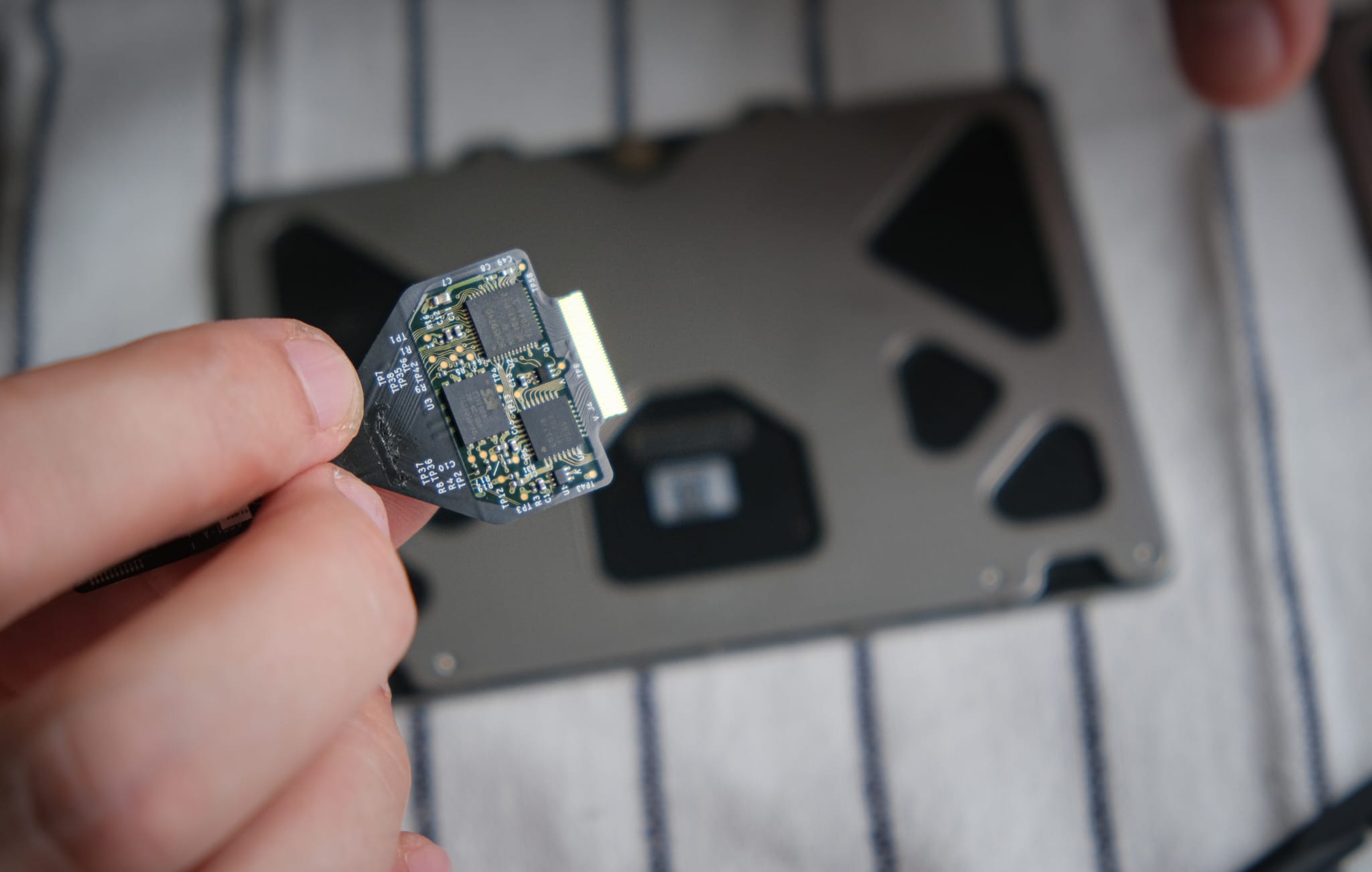
The replacement trackpad came without the connecting cable. Luckily, you can remove the old cable and connect it to the new part. A fragile piece of electronics.

Once the connecting cable was attached to the new part, I started the reassembling. My wife helped me at this stage. It was difficult to put the connector through the small gap. I held a spudger whereas my wife had tweezers. Together we got the connector through. Team work makes the dream work.

These small screws hold the trackpad to the MacBook’s unibody.

I have an iPhone 13 mini. It has 4 GB of RAM. I lived with a MacBook Pro for 14 years that had 2 GB of RAM. How? Don’t ask. I did. I am a patient man.
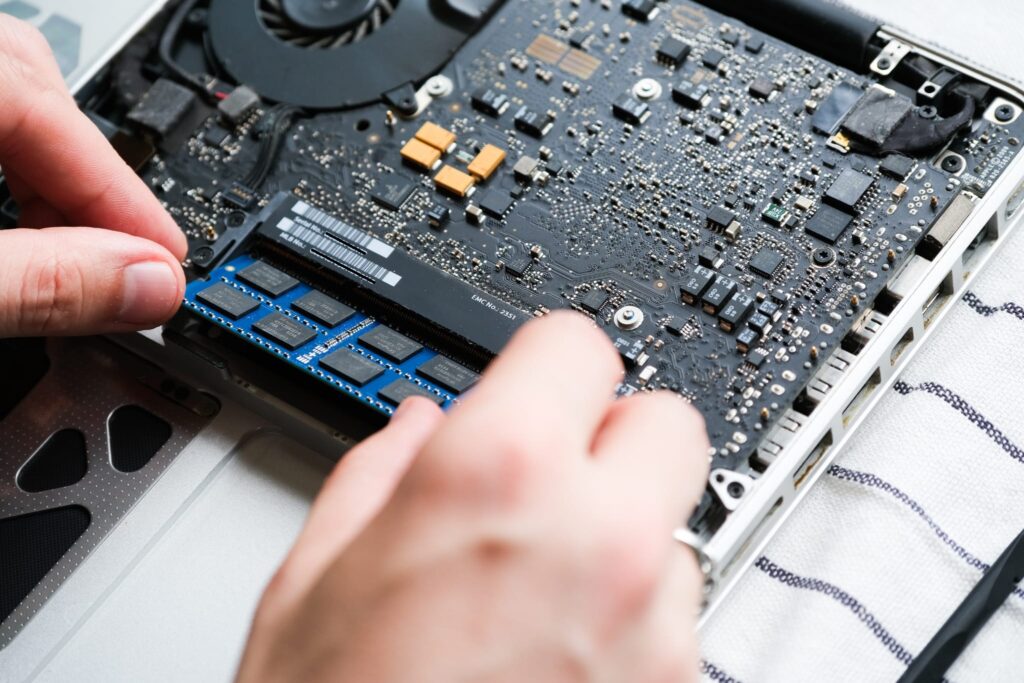
RAM swapping is easy. More or less the same procedure I did on my wife’s PC.
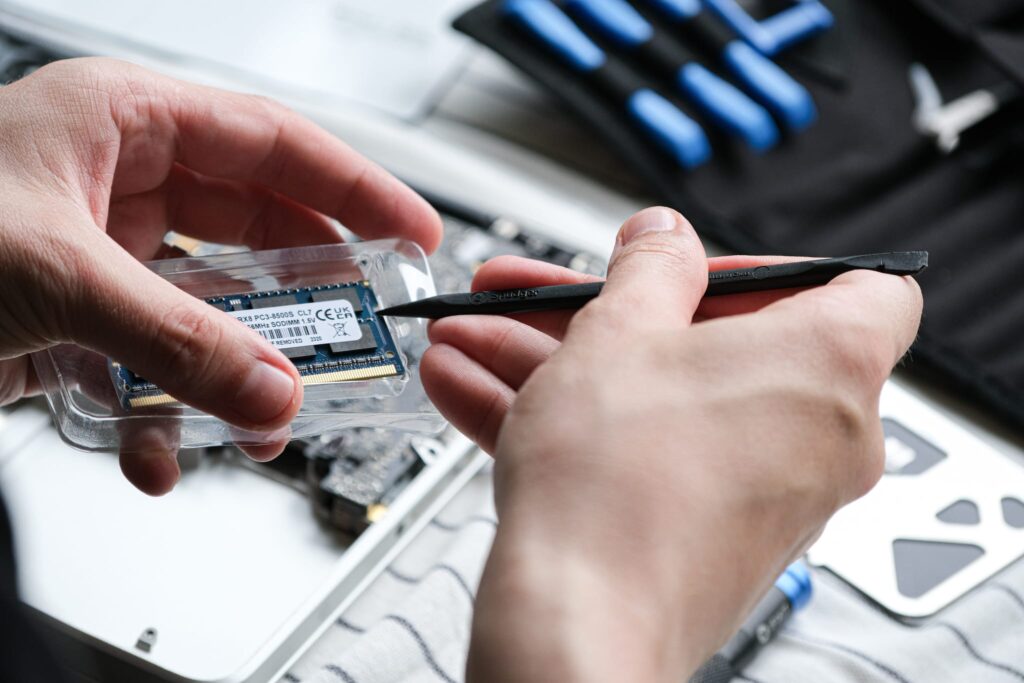
The only difference is that this MacBook Pro has two RAM slots.

This is a 14-year-old RAM. The old is green, the new is blue.
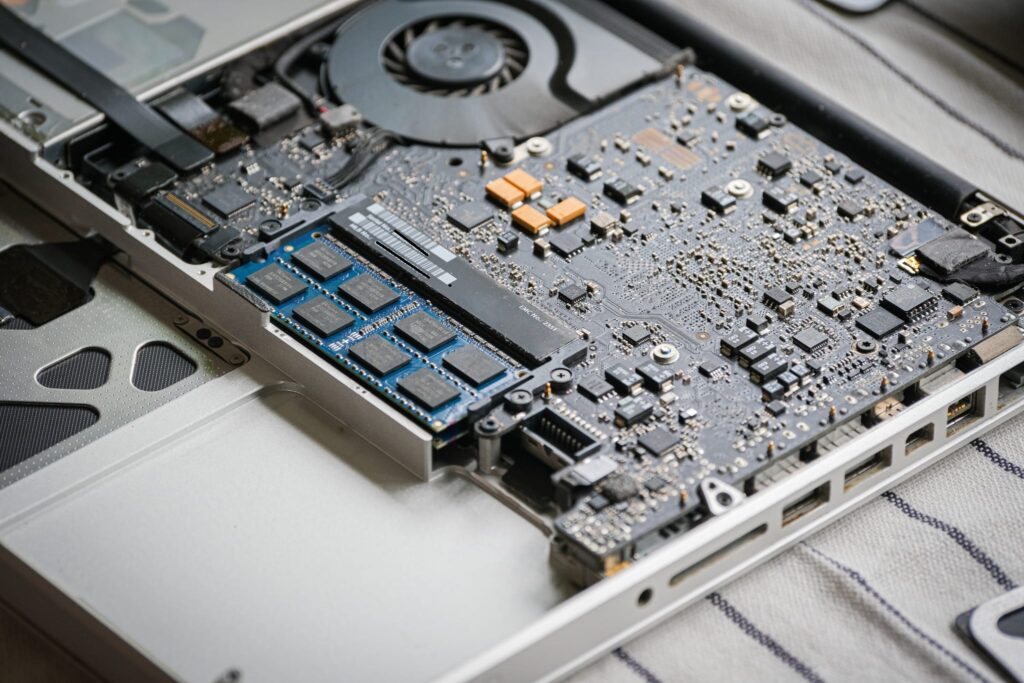
Why did I choose 8 GB and not 16 GB? 8 GB was cheaper and easier/faster to get. Furthermore, I don’t need 16GB of RAM on a 14-year-old device. I would not be able to use all that memory. 8GB is more than enough knowing I lived 14 years with just 4 GB.

A new battery. It is not swollen. You can’t see its insides. It smells of plastic.

Putting it in the MacBook’s body is easy.

Screwing it into place is not. Again, my wife comes into the picture. She suggested putting both screws in but now screwing them in. Just do one turn. Wiggle the battery so both screws can be tightened. It worked. My wife is amazing.

A new battery = Check; 8 GB of RAM = Check; A new trackpad = Check.

Was it hard to put the back cover on? No. It did not pop up. You could put it on and it sat. When I turned the MAC over and opened it. I forgot the feeling when the button on the trackpad worked. It clicked! And there was no bulge.


It works! It booted. It woke up. The trackpad works. The RAM and the battery are recognized. However, I still have the macOS High Sierra from 2017. Sadly not even a RAM upgrade will let me upgrade to macOS Mojave, the next iteration of macOS after High Sierra. I’ve read that practically it is possible to make the upgrade, but it requires a few tricks here and there. Should I try it?

The old parts. 14-year-old parts.

Just look again at this battery. I was constantly putting this laptop close to my manly parts. What if…? Let’s not.
Was it a good article? I sure enjoyed making it. These kinds of projects are the reason why I like having a blog. Remember my adventure with upgrading my old iPhone? These are the reasons why documenting is both interesting and important. It shows your progress with handling electronics and how your confidence and skill evolve. At least I hope mine does.
How much did this upgrade cost? 77,15 EUR. The battery was 39,88 EUR, the RAM 16,89 EUR (remember what I said about it being cheap), and the trackpad 20,38 EUR. How much would it cost if everything came from iFixit? Roughly 199,95 EUR. Now I can spend the delta on a good bottle of champagne.
What’s next? An old Porche 911 or a broken Rolex Explorer I?
Kindly,
Olaaf